Campaign Manager 360
If your organization uses Campaign Manager 360, you can use your Google account to upload assets directly to an advertisers media library. From there you can use it in your ad delivery
Getting started
Each user will need to authenticate Cube to upload files to YouTube on their behalf. This is done through your account settings:
Setup integration
Before continuing, please read how to connect external platforms:
Connecting Accounts→Select file(s) to export
Locate the file(s) you want to export. If you want to export multiple, select your desired files by marking the checkboxes.
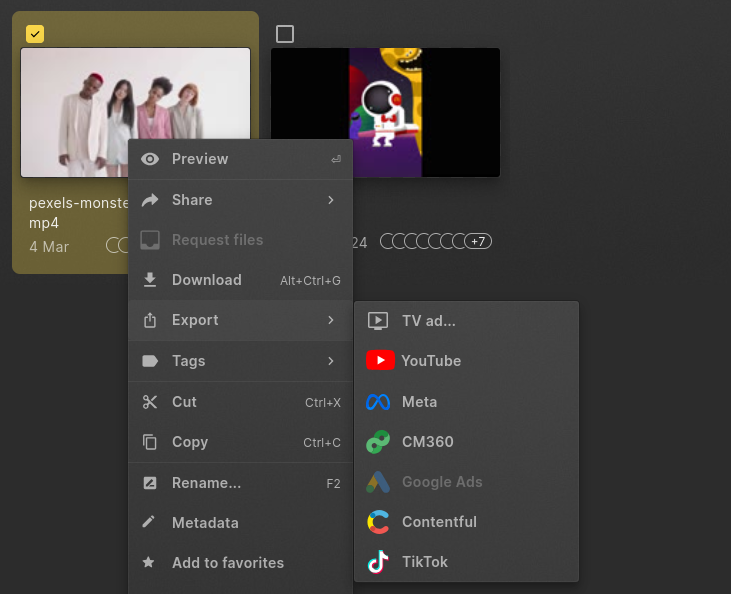
Once you have your selection, right-click to open the context-menu and select "Export > CM360". The same option is available in the command bar
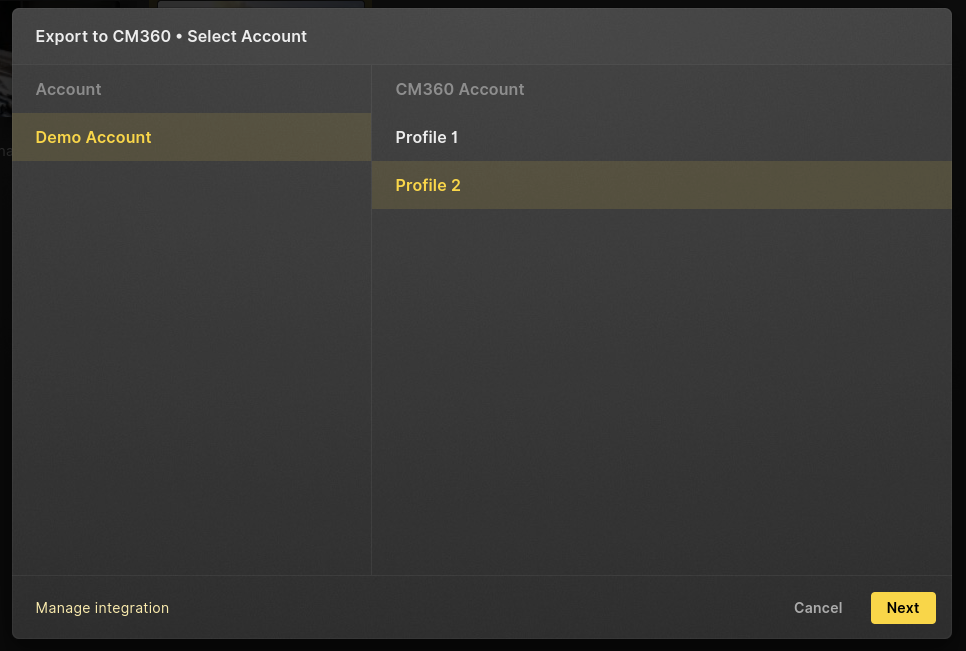
Select Channel
Depending on your Google account and integration, you will see one or more Profiles that your account has access to shown. Select the profile you want to export with to and press "Next"
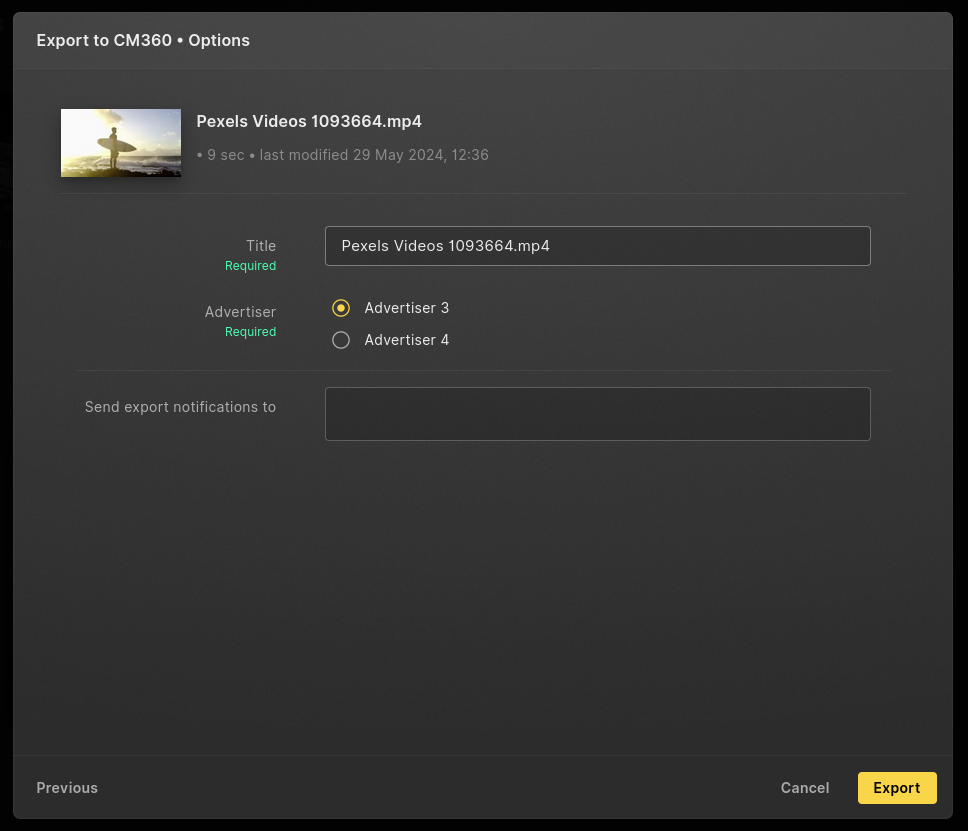
Options and Export
If needed you can change the title of the video as it will appear in your channel.
You will need to select which Advertiser the asset belongs so, in order to upload it to the correct media library.
You can add multiple email addresses that will be notified once the export is done. You will always get an email about your own exports.
Press "Export" to start the transfer
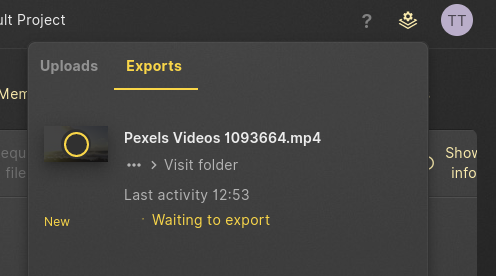
The export queue will appear and keep you up to date about the status of your transfers.