Radio Ad Deliveries
Cube allows you to export your audio files as radio commercials to all Dutch Radio stations. These include:
- DPG media (QMusic, JOE and more)
- Ster (NPO Radio 1 & 2, 3FM, Klassiek, Radio 5 and ORN Radio)
- OMS
- Talpa Radio
- BNR Nieuwsradio
- E Power
- FunX
- Mediahuis Radio
Before you start
To ensure proper delivery and broadcast, please make sure to upload files that have been mixed following specifications below:
- No silence before or after: trim at -40dB
- Only .wav linear format
- Sample rate: 48kHz and 24-bit
- Minimum length: 1 second
- Maximum length: 90 seconds
- Loudness: EBU R128 standard
- Peak level: -1dBFS
- Maximum imbalance between L+R channels: 40dB
- Maximum consecutive silence per channel in the commercial: 10 seconds
Steps
You can select one or more files at once.
Select file(s) to export
Locate the file(s) you want to export.
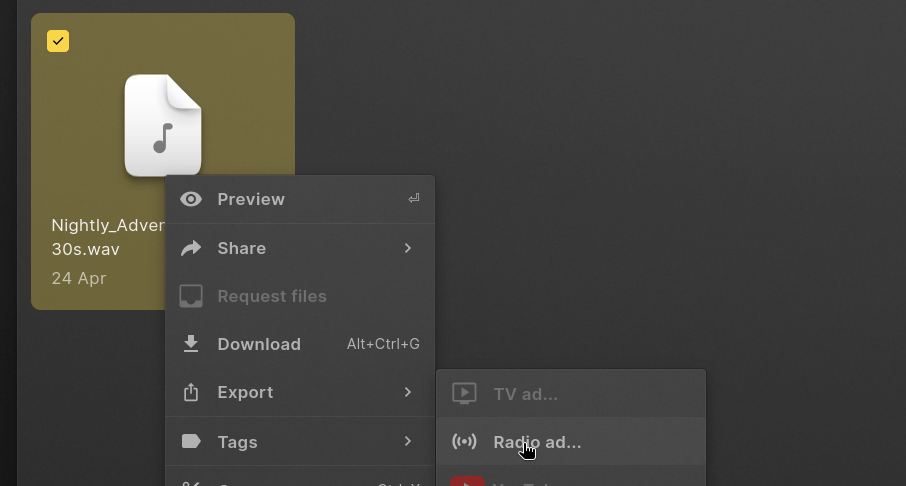
Once you have your selection, right-click to open the context-menu and select "Export > Radio Ad". The same option is available in the command bar
Export Options
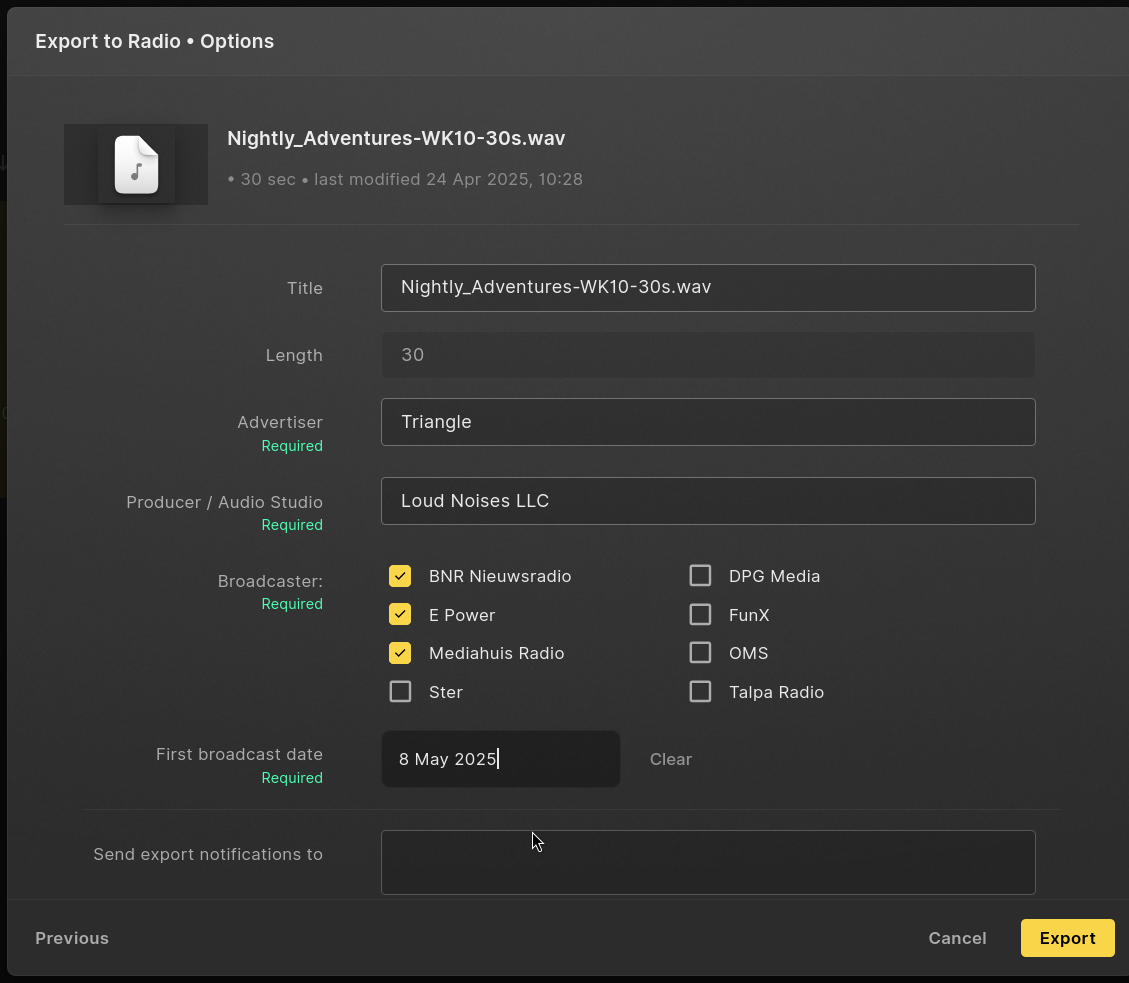
Depending on your workspace configuration, metadata is derived from the project our video you are trying to export. Required fields are:
- Title: The name of the ad.
- Length in seconds: This is always derived from the ad you are exporting. Please check the length is correct
- Advertiser: This is the client for whom the ad will be aired.
- Producer / Audio studio: The person or company that made the commercial
- Broadcaster: Which stations do you need to deliver the ad to.
Send export notifications allows you to add people who will receive a notification email once the export is done. You will always receive an email for your own exports.
Processing
Once happy with your settings, you can click "Export" to start the export. The export queue will open and show you the status of your exports:
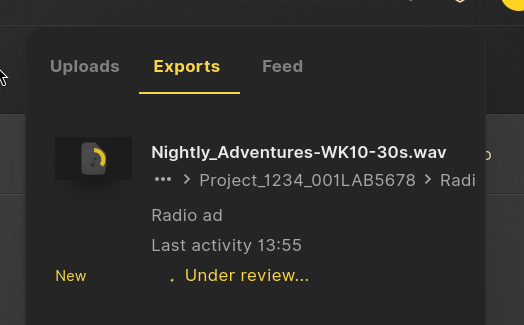 Your files will be transferred to Audify. Part of this process is a QC check by Audify.
Confirmation
Once the export is done and approved by Audify, you should see the final state in the export queue. Every recipient has also received an email notifying of the final state.
Should something have gone wrong, Cube will sent out an email detailing the cause.