TV Ad Deliveries
Cube allows you to export your videos as TV Ad commercials to all major Dutch TV stations. These include:




Before you start
To ensure proper delivery and broadcast, please make sure to upload files that have been mixed following the EBU R128 loudness specification.
We advice uploading files exported with the following settings:
- codec: Apple ProRes 422 (HQ)
- size: HD 1920x1080
- colorstandard: ITU-BT709 (Rec709) Fullrange*
- audio: 16bit 48Khz
Exporting your own MXF is allowed but at your own risk, QC steps will differ.
* Fullrange video levels implies having black at 0 and white at 255 on a 8bit scale. Studiorange levels will result in gamma shifts and are currently not support.
Steps
You can select one or more files at once.
Select file(s) to export
Locate the file(s) you want to export. If you want to export multiple, select your desired files by marking the checkboxes.
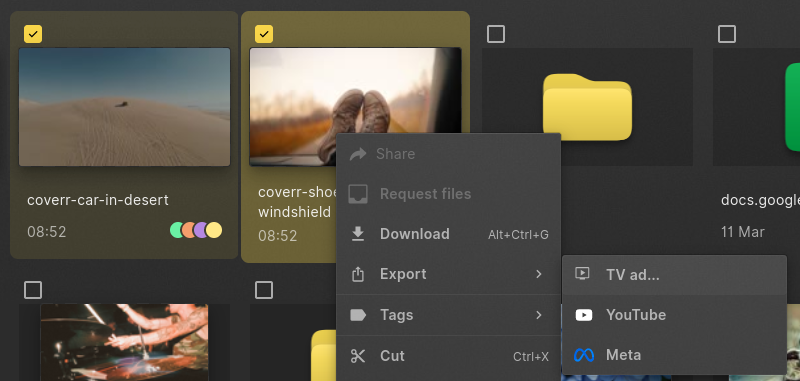
Once you have your selection, right-click to open the context-menu and select "Export > TV Ad". The same option is available in the command bar
Choose TV Stations
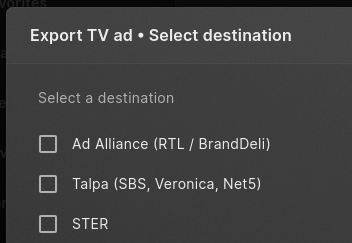
You will be asked to choose one or more TV stations. Please select the stations you want to deliver to and press "Next"
Quality check
In the next step, your file will be checked against the specifications by broadcast stations, this includes EBU R128 and various issues that could arise from incorrect export settings when the file was created. Broadcast stations will reject files for the reason listed.
To solve these issues, you can copy the report and sent it to the party that exported the file for you. A new file will need to be uploaded to Cube. See the below example.
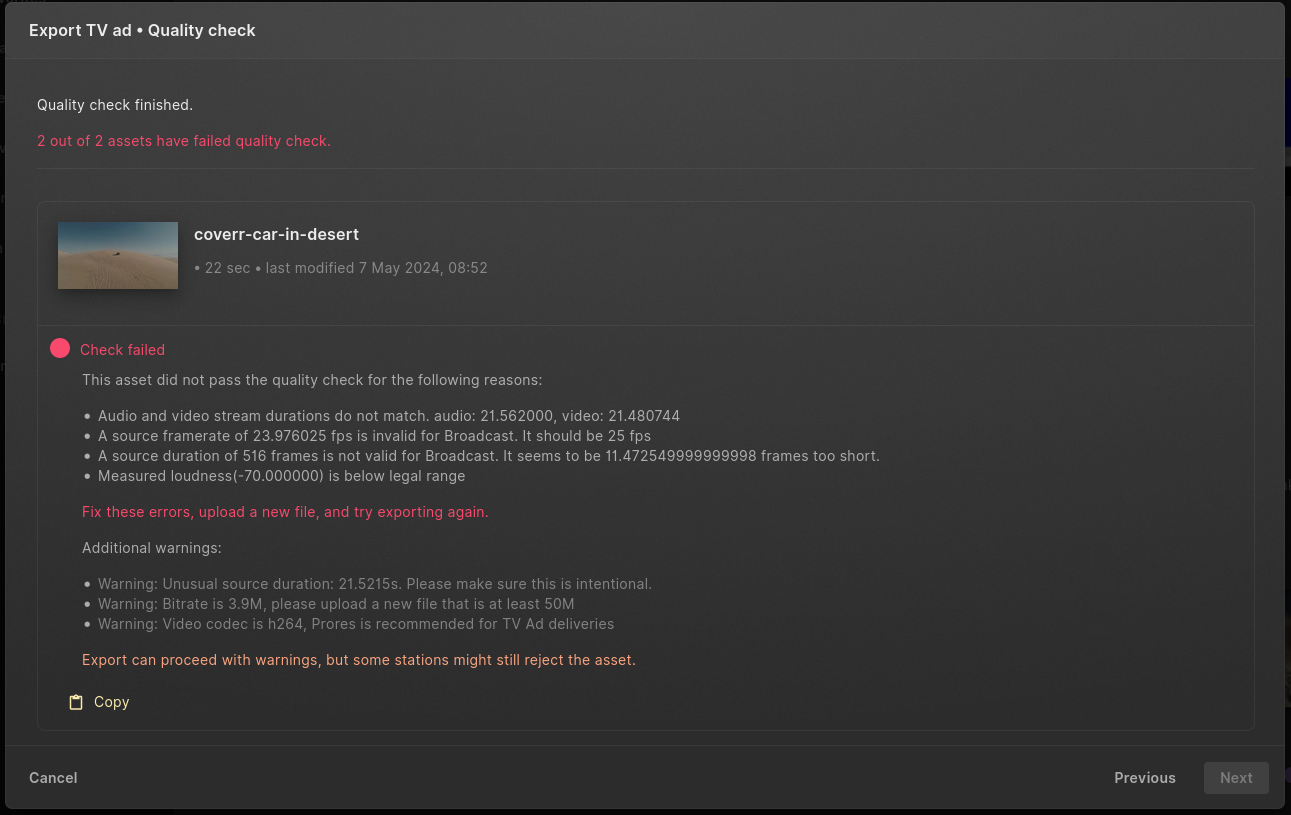
There might be other warnings that will not immediately result in issues at the tv stations, this is can differ per stations. Cube will notify you, but allows you to continue at your own risk.
Metadata
You are required to provide enough metadata during the export, which the stations will use to match your export with the bought airing slots.
Depending on your workspace configuration, metadata is derived from the project our video you are trying to export. Required fields are:
- Advertiser: This is the client for whom the ad will be aired.
- Title: The name of the ad.
- Product: The product, service or campaign of the client that is in the ad.
- Length in seconds: This is always derived from the video you are exporting.
- Version: Usually set to
1, this can be overwritten if you are exporting a different file but need to use the same name.
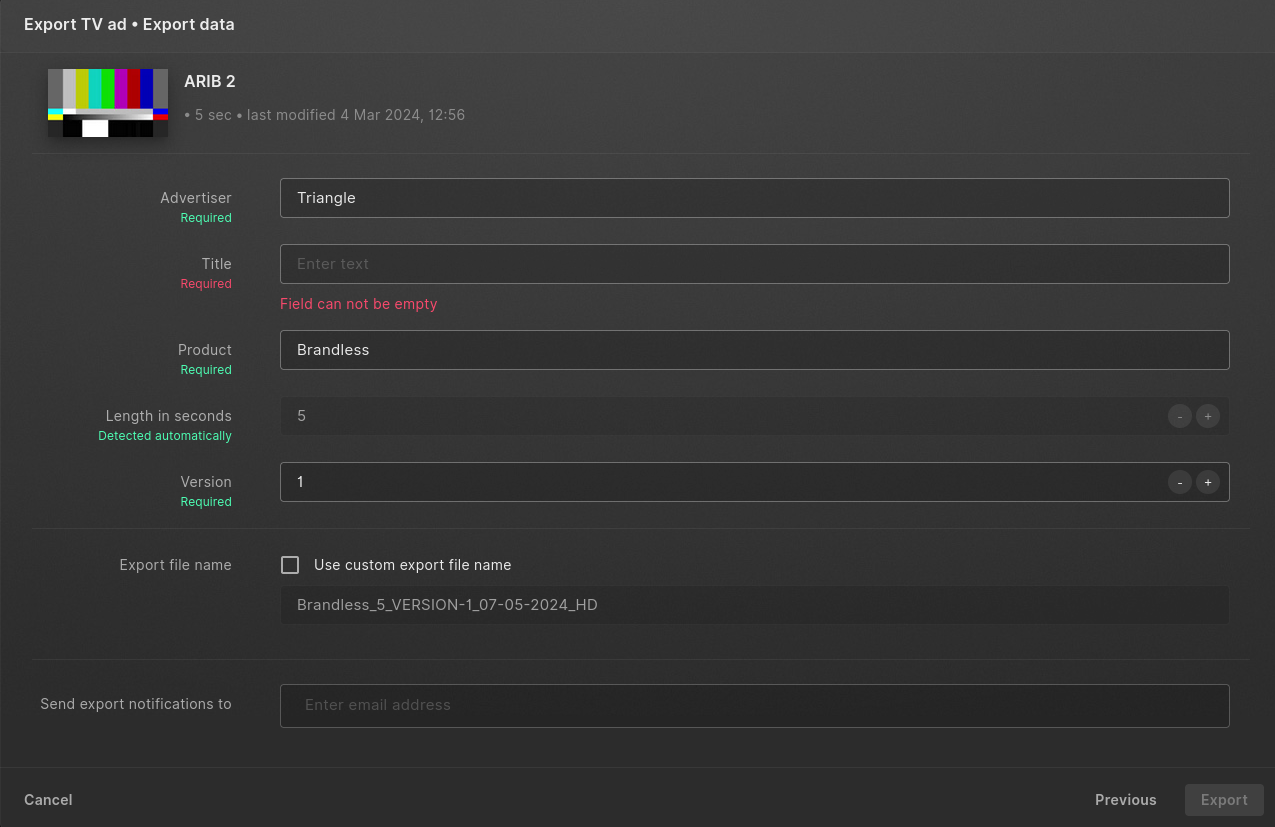
Export file name show the filename as it will be once the file is exported to the stations. At your own risk you can use a custom export file name, should the station or media agency require this.
Send export notifications allows you to add people who will receive a notification email once the export is done. You will always receive an email for your own exports.
Processing
Once happy with your settings, you can click "Export" to start the export. The export queue will open and show you the status of your exports:
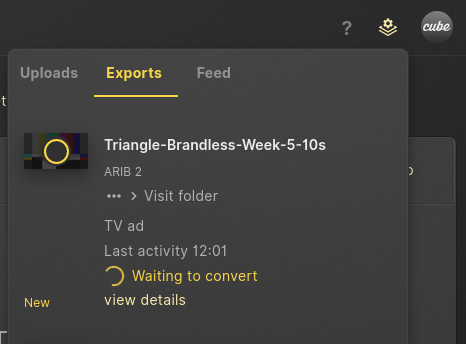 Your files will be converted to an MXF video file and transferred to the selected tv stations.
Confirmation
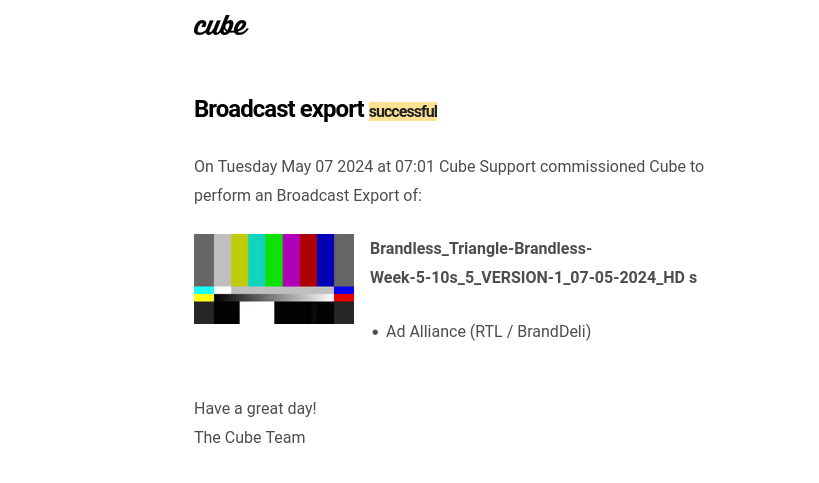
Once the export is done, you should see the final state in the export queue. Every recipient has also received an email notifying of the final state.